Similarity Alerts
Each time you open a file, PPEE hashes it in the background, compares it with every file it has seen before, and records it. The data lives in a local SQLite database next to the executable. See Similarity Engine for how matching works.
Toast
When a match is found, a toast appears in the bottom-right corner for a few seconds:
Linux screenshot: Similarity toast

Bell and history
The bell at the right end of the toolbar shows a red badge with the number of new matches. Click it to open Similarity History:
Linux screenshot: Similarity history window
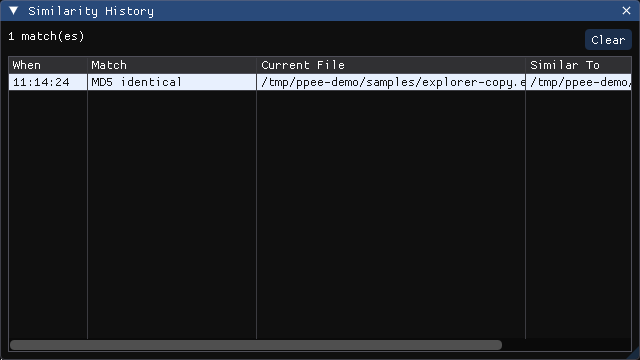
| Column | Meaning |
|---|---|
| When | Time of the match |
| Match | Which algorithms matched (see below) |
| Current File | The file you opened |
| Similar To | The previously seen file |
- Double-click a path to open that file in a new tab.
- Rows that belong to the same cluster (files linked through any chain of matches) share a color.
- Clear empties the history list. The database is kept; to delete it, use Settings → Clustering → Delete database.
Match labels
| Label | Meaning |
|---|---|
SHA256 identical / MD5 identical | Byte-for-byte the same file |
Auth | Same Authentihash: same code and data, possibly with a different signature or overlay |
Imp | Same ImpHash: the same import table, which often means the same family or toolchain |
ssdeep s=NN | SSDEEP similarity score ≥ threshold (0–100, higher = more similar) |
TLSH d=NN | TLSH distance ≤ threshold (lower = more similar) |
Labels are combined with +, for example Auth+Imp+TLSH d=12.
Turn the engine off, pick which checks run, and set thresholds under Settings → Clustering. From the CLI, use --similarity.