Shell Integration
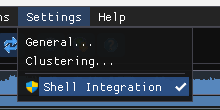
Toggle Settings → Shell Integration (or the checkbox in Settings → General).
Adds Open in PPEE (puppy) to the Explorer right-click menu for exefile, dllfile, ocxfile and cplfile.
Windows screenshot: Explorer context menu
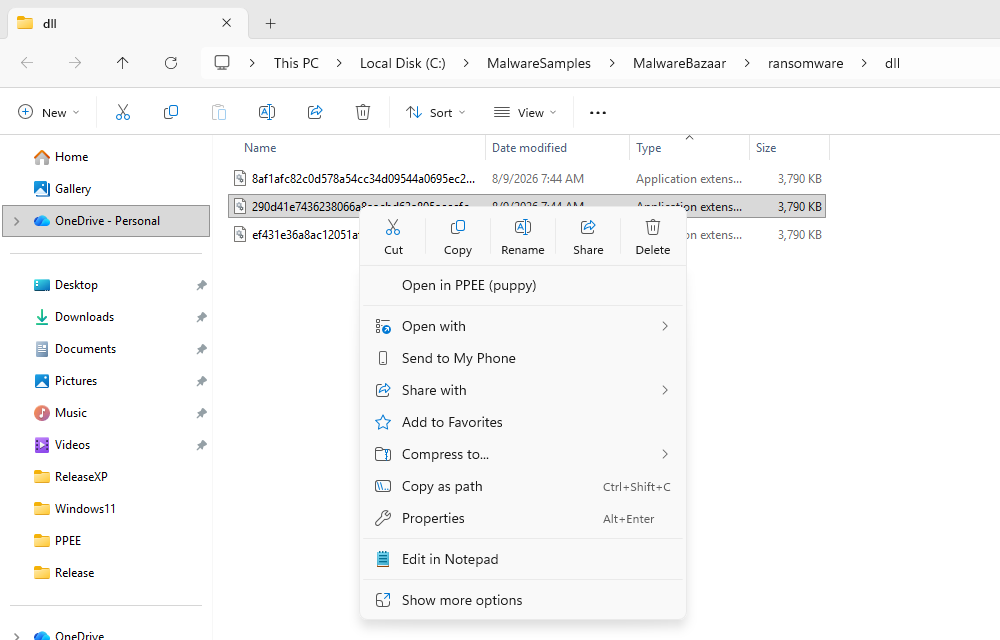
- Registration writes to
HKEY_CLASSES_ROOT, so PPEE must run as Administrator. If it isn't elevated, PPEE says so and changes nothing. - Point the entry at a permanent location. If you move
ppee.exe, toggle the setting off and on again. - Turning the setting off removes the entries.
Windows screenshot: Shell Integration dialog
Windows 11: the entry appears directly in the new context menu, but without the PPEE icon, because that menu doesn't draw icons for classic menu entries. Show more options (or Shift+F10) shows it with the icon.
Installs a per-user freedesktop entry at $XDG_DATA_HOME/applications/ppee-puppy.desktop (normally ~/.local/share/applications/) that declares the PE MIME types (application/x-dosexec, application/x-msdownload, …). File managers such as Nautilus, Dolphin and Thunar then offer Open With → PPEE. No root is needed. Turning the setting off deletes the file.
References
- File types and associations (Microsoft): how Explorer context-menu verbs are registered.
- Desktop Entry Specification (freedesktop.org): the .desktop files Linux file managers read.