Settings
Open Settings → General… or Settings → Clustering…, or use the toolbar gear. Settings are saved to ppee.ini next to the executable, so a portable copy on a USB stick keeps its own settings.
General
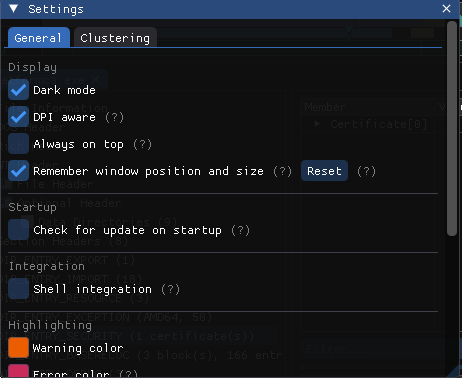
Windows screenshot: Settings → General
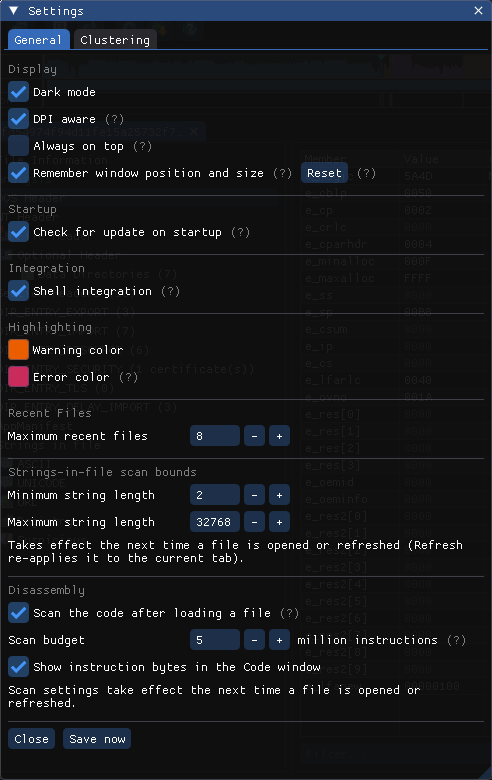
| Setting | Default | Notes |
|---|---|---|
| Dark mode | On | Also under View |
| DPI aware | On | Scale the UI on high-DPI displays |
| Always on top | Off | Also under View |
| Remember window position and size | On | Reset restores the default geometry |
| Check for update on startup | On | Windows builds only |
| Shell integration | Off | See Shell Integration |
| Warning color / Error color | EA5E00 / C92C5A | Colors used for anomaly markers |
| Recent Files | 8 | Length of File → Recent Files |
| Minimum / maximum string length | 2 / 32768 | Limits for the Strings scan |
Disassembly
| Setting | Default | Notes |
|---|---|---|
| Scan the code after loading a file | On | Decodes the x86/x64 code in the background. The imports' Call sites and the strings' Referenced by columns, the Code analysis' call sites, patterns and functions, and the navigator's Code lane come from it. Off: those stay empty; the Code window and the entry-point checks still work |
| Scan budget (million instructions) | 5 (1–50) | About a second per 5 million in a release build, and at most 16 MB of memory per million. A file with more code is covered in part, and its counts say so |
| Show instruction bytes in the Code window | On | The Bytes column; also a checkbox in the window |
Scan settings take effect the next time a file is opened or refreshed. A running scan is cancelled when its tab is closed or refreshed, and on exit.
Clustering
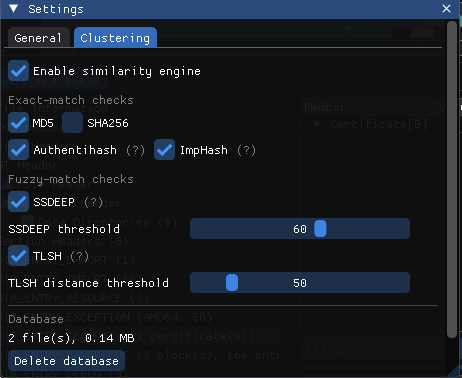
Linux screenshot: Settings, Clustering tab
| Setting | GUI default | CLI (--similarity) | Notes |
|---|---|---|---|
| Enable similarity engine | On | On with --similarity | Off = files are neither hashed for matching nor recorded |
| MD5 | On | On | Exact match |
| SHA256 | Off | On | Exact match |
| Authentihash | On | On | Same image apart from the signature |
| ImpHash | On | On | Same import table |
| SSDEEP + threshold | On, 60 | On, 60 | Match when score ≥ threshold (0–100) |
| TLSH + distance threshold | On, 50 | On, 50 | Match when distance ≤ threshold (0–300) |
| Database | - | - | File count and size; Delete database removes all records |
Tuning thresholds
To see only near-duplicates, raise the SSDEEP threshold (80+) and lower the TLSH threshold (≤ 30). To find loosely related samples, lower SSDEEP to around 40 and raise TLSH to around 100, and expect more false positives.
ini file reference
[Display]
DarkMode=1
DpiAware=1
AlwaysOnTop=0

[StringLength]
MinLength=2
MaxLength=32768

[RecentFiles]
MaxCount=8
; File0=..., File1=...

[Colors]
Warning=ea5e00
Error=c92c5a

[MainWindow]
Remember=1
X=-1
Y=-1
Width=-1
Height=-1

[Splitter]
TreeWidth=-1

[NavStrip]
Visible=1
Expanded=0
HideOverlay=0
ByteClasses=0

[SimilarityEngine]
Enabled=1
MD5=1
SHA256=0
Authentihash=1
ImpHash=1
SSDEEP=1
TLSH=1
SSDEEPThreshold=60
TLSHThreshold=50

[Startup]
CheckForUpdate=1

[Disassembly]
ScanEnabled=1
MaxInstructions=5
ShowBytes=1
-1 means "use the default". You can pre-seed a ppee.ini when deploying PPEE to many analyst machines, for example to turn off the update check on air-gapped networks.
Note
ppee-cli doesn't read ppee.ini. Control it with switches and environment variables.